 Get started
From ordering to your first quiet morning.
Nine steps, and only three of them happen at the house. We pair everything before it ships, so there is nothing technical to work out, nothing to scan, and nothing for your loved one to remember. Written out in full it looks long, so here is the honest total first.
Pick the kit, tell us where it goes.
Sticky tape, and one cable to the modem.
One person, one sitting, then it is done.
About twenty minutes in all, in three short sittings, and nothing to do again after that.
You order the kit
Pick the kit and the plan, tell us where it is going, and say who in the family will be the main person for the app. That is simply whoever is happiest with a phone. They set it up and everyone else joins them, so it does not have to be the person whose home it is, and it can be handed to someone else later.
There is one more question, and it is about pets. If there is a cat or a dog in the house, we swap the movement sensor for a third door sensor before the kit is paired. A cat crossing the hallway at six in the morning looks exactly like somebody getting up, and we would rather not guess. It costs nothing extra, and the morning check works just the same.
We pair the kit for you
Before the box leaves us, the hub and the three sensors are paired to each other, tested, and labelled for where they go. Pairing is the fiddly part of any smart home gear, so we do it here rather than leave it sitting on someone's kitchen table.
We ship it, and email your kit code
The kit goes to whichever address suits, usually within a few days. At the same time, your main person gets their own email with the kit code: a short code, something like DS-7F3K-9QP2, also printed inside the box.
That code is what ties this exact kit to your family's household, so the sensors report to your family and nobody else. It is typed in once, by one person, during setup.
It arrives with really simple instructions
One page, plain language, large text, no jargon. Alongside it is a separate printed note written for the person whose home it is: what the sensors notice, what they never do, and how to see or stop it at any time. Daily Start is never a secret in someone's house.
Three small sensors go up with sticky tape
That is genuinely the whole installation. Peel the backing and press them into place. No tools, no drilling, no holes, about ten minutes.
Where the three sensors go
- One on the fridge door. This one is in every kit. A fridge is the only door in a house that closes itself every single time, so it is the signal we can count on, and almost everybody opens it in the morning.
- One on a second door, and you pick which. A bedroom, the bathroom, the back door: whichever one actually gets used and actually gets shut. A door left standing open never reports anything, and only your family knows which doors those are, so this one ships blank and gets named in the app once it is up.
- The third depends on pets. Normally a movement sensor, somewhere the morning happens, like a hallway or the kitchen. With a cat or a dog in the house it is a third door sensor instead.
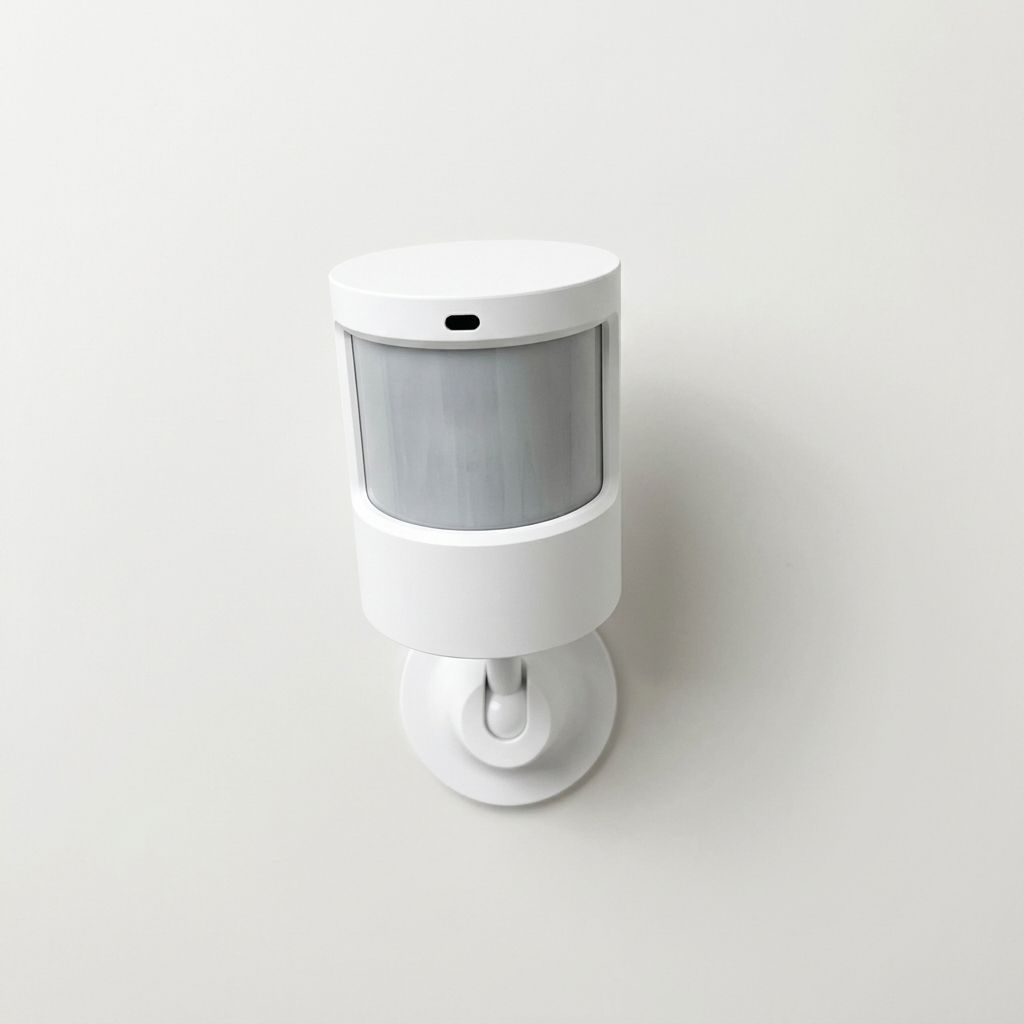
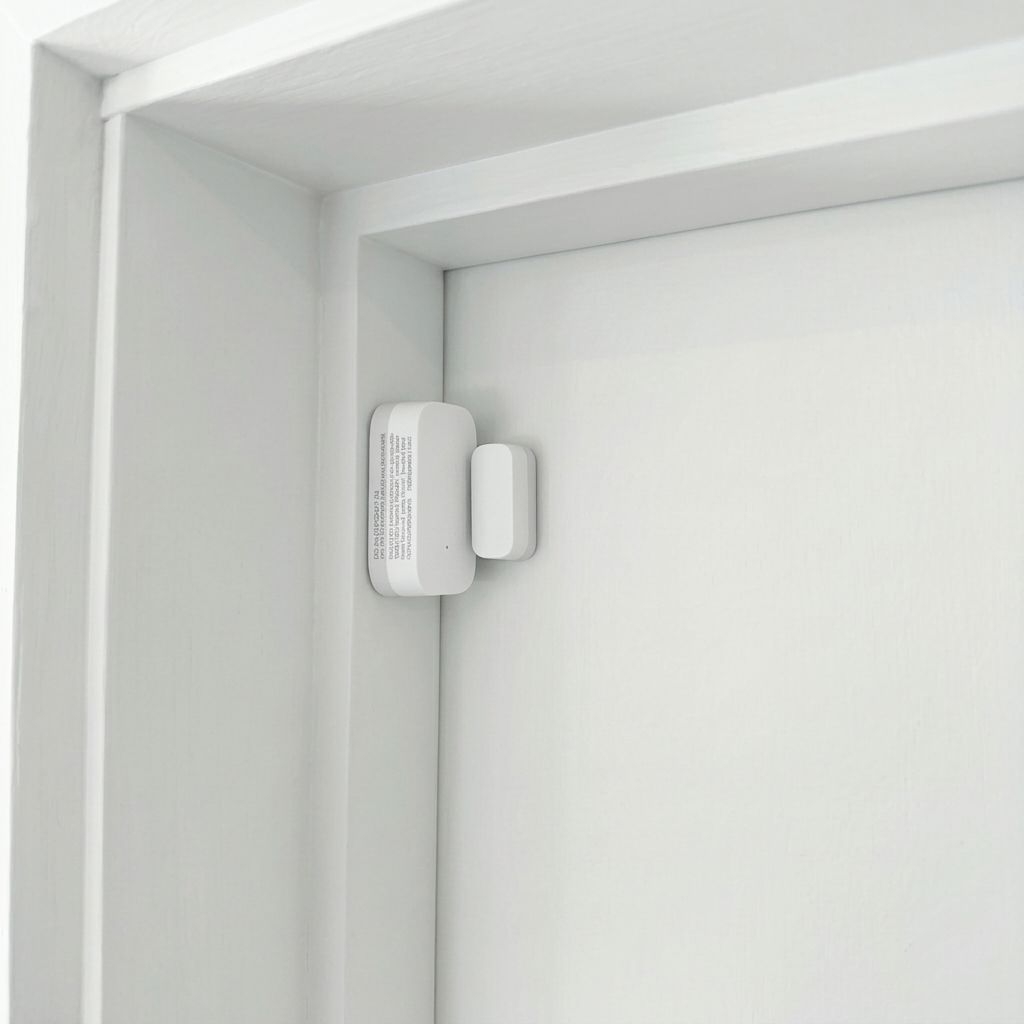
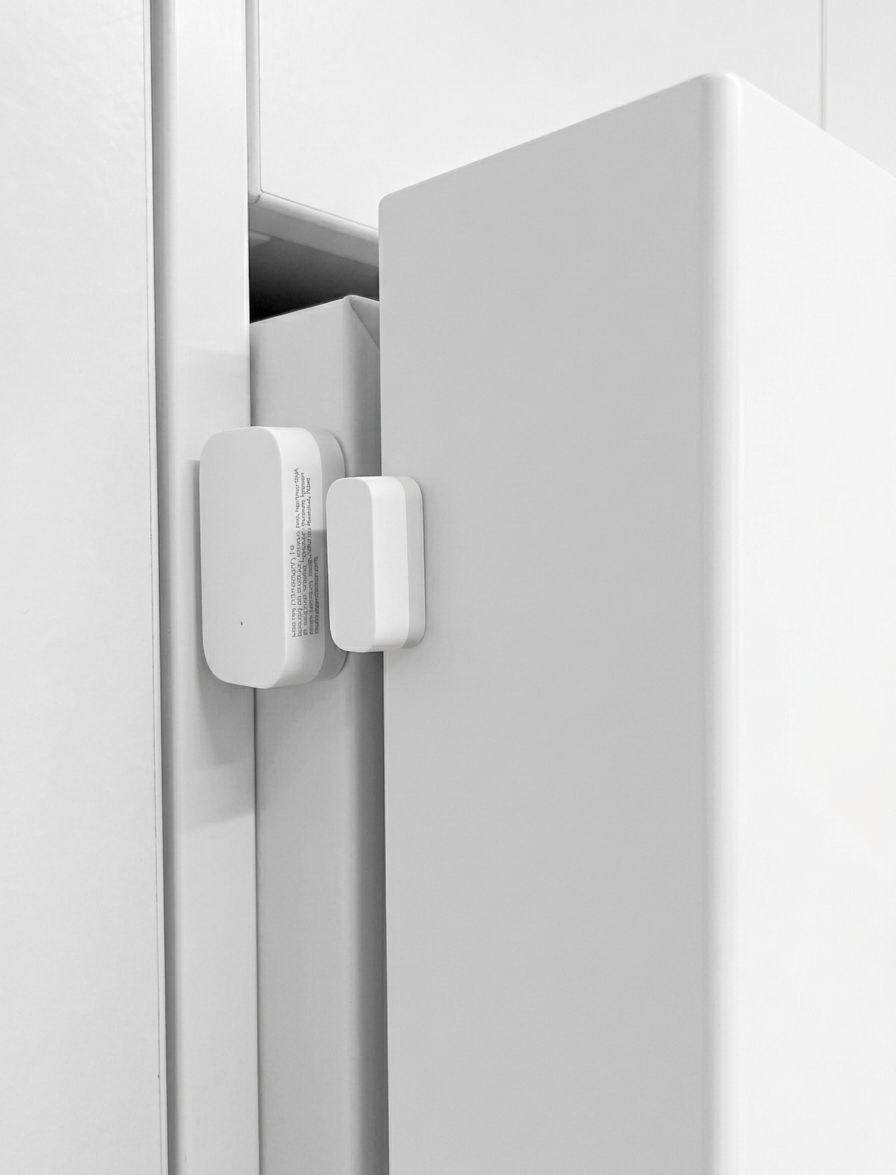
Plenty of families put one on the front door, and it turns out to be the one nobody expected to like. It quietly shows the comings and goings of a day: heading out for the paper, a carer or a friend at the door, a neighbour dropping in. Not who, and not why. Just that the day had some life in it.
Most people whose home it is do this themselves. If that is too much of an ask, a family member can do it on their next visit, or we can arrange a local tech person to come and set the whole thing up, for an additional cost. Just say so when you order and we will quote it first.
The hub plugs into the modem, by cable
The hub needs two things: a power point, and the network cable running into a spare port on the modem or router. Then it is on, and it stays on.
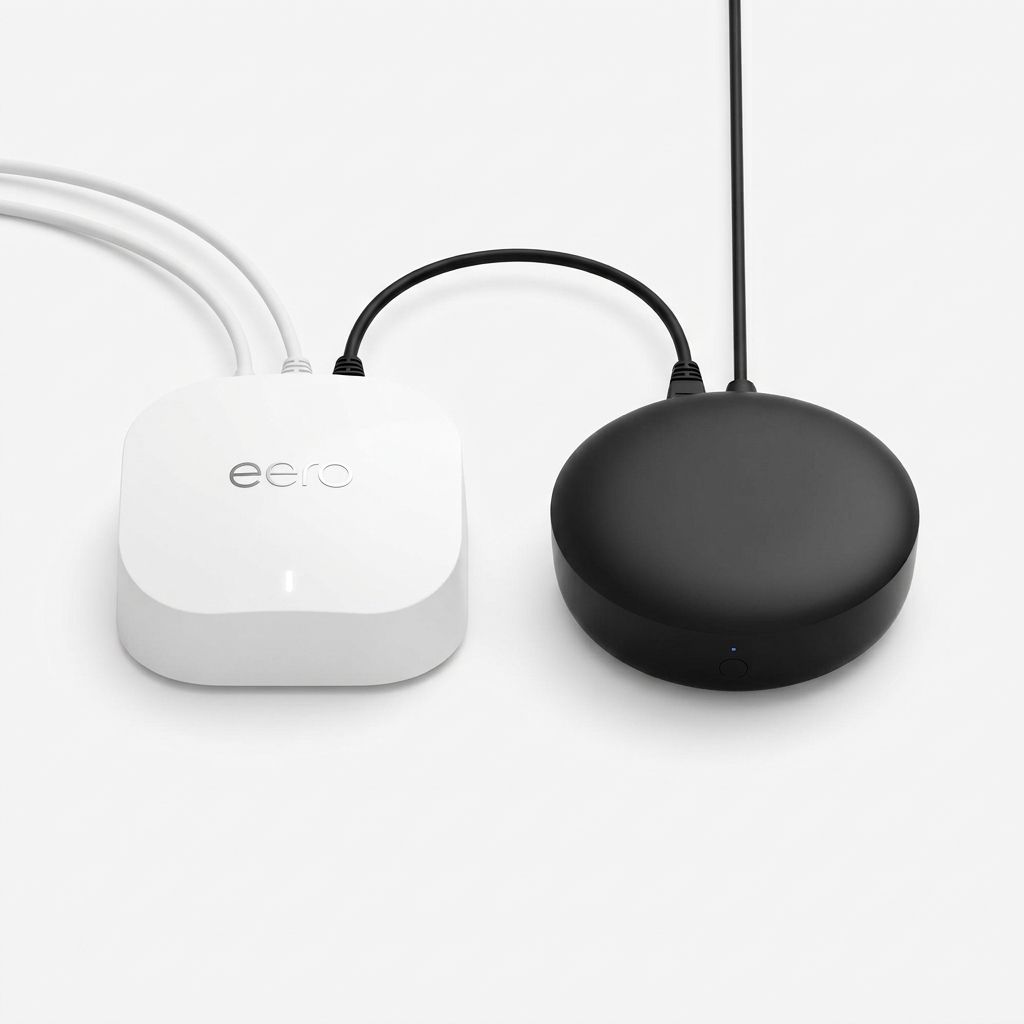
The cable is deliberate. WiFi in a house we cannot see is the one thing we cannot vouch for, and every little dropout would show up as "we cannot tell right now" for no good reason. A wired hub does not drop off. If the modem has no spare port left, add the small plug-in network switch to your order and it will have one.
Your main person sets up the app
One person, one sitting, about five minutes. The app walks them through it in order, and nothing needs working out in advance.
The setup, in order
- Create the account and name the household. Whatever the family already calls it.
- Type in the kit code from the box or the email. This links the hub and sensors that were paired for you.
- Confirm where each sensor went. The app lists them, so nothing gets mixed up.
- Choose the morning check time, say 9:00am. If there is no sign of the day by then, the family gets a gentle nudge to ring. Changeable at any time.
- Confirm the conversation has been had. A tick to say the printed note has been shown to the person at home, and that they are happy. This step is required, and it is the whole ethic of the product.
- Add the rest of the family. Anyone you add gets an email with a link to join, and makes their own free login.
- Start the plan, paid securely through Stripe.
Everyone else just joins
Only the main person ever touches the kit code. Brothers, sisters, grandchildren, a close friend next door: the main person adds them by email address, and they get an invite with a link to join. They make their own free login, and from then on they see exactly what the main person sees. There is nothing more to pay, however many of you there are.
The main person owns the household and approves anyone joining it, so the only people who can see anything are the people you chose.
Each person picks their own notifications
Some people want the warm hello every morning. Others only want to hear if something is worth a call. Everyone chooses for themselves, so nobody is stuck with someone else's preference.
That includes the keep-in-touch nudge: if nobody in the family has called or visited for a while, we send a gentle reminder. Pick how long feels right, anywhere from 2 to 7 days, or switch it off. It is the small feature that stops reassurance quietly replacing the visit.
It runs itself. You just glance.
Once it is set up, nobody has to do anything again. The sensors notice the ordinary start of a day, and the app answers the only question that matters with a single colour.
Day started
The usual signs of a morning, at the usual sort of time.
Quiet so far
Nothing yet. Past the time you chose, one person gets a nudge to ring.
Sensors offline
A power cut or an internet blip. Said plainly, never treated as a missed morning.
Away
A trip, or every Tuesday at a partner's place. Mark it once and the checks pause.
Nothing to charge, nothing to wear, nothing to press. If your loved one never opens the app at all, it works exactly the same.
One box, four small things.
All paired, labelled and ready. The door sensors are about the size of a matchbox, and the movement sensor sits in the palm of your hand. Once they are up against a door frame or on a shelf, they disappear into the house within a week.
The kit is yours to keep. If you ever stop the plan, the hardware is still yours.
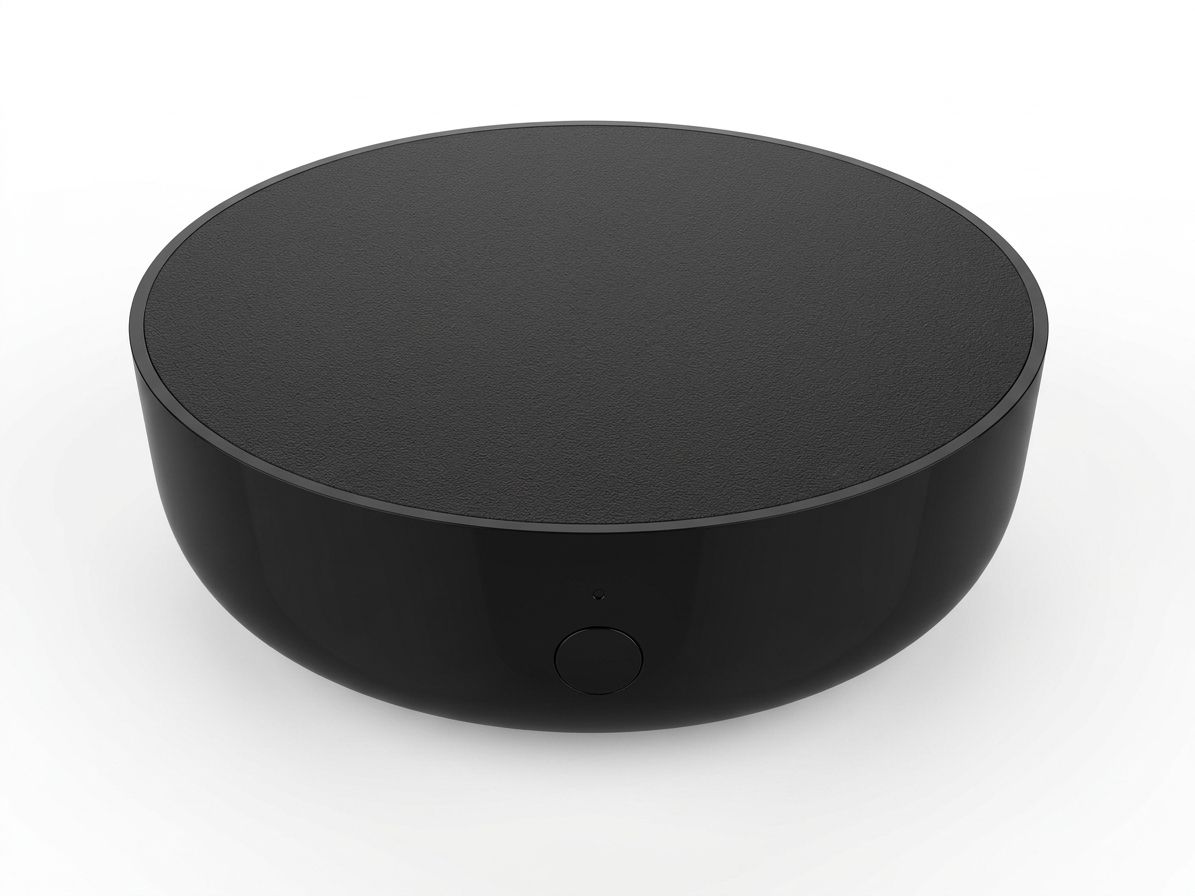
The hub
Power, plus a network cable to the modem. Then leave it be.
A sensor for the fridge door
In every kit. The fridge for the morning cuppa, and the one door in a house that closes itself every single time.
A second door sensor, and you pick the door
A bedroom or bathroom door, the back door, the cupboard where the bread is kept.
A movement sensor, or a third door sensor
For the hallway or the kitchen. With a cat or a dog in the house, a third door sensor instead, at no extra cost.
The printed guide and note
One page to set it up, and one page written for the person at home.
A gentle hello, every morning.
Peace, without the checking-up.